Meet Eternity
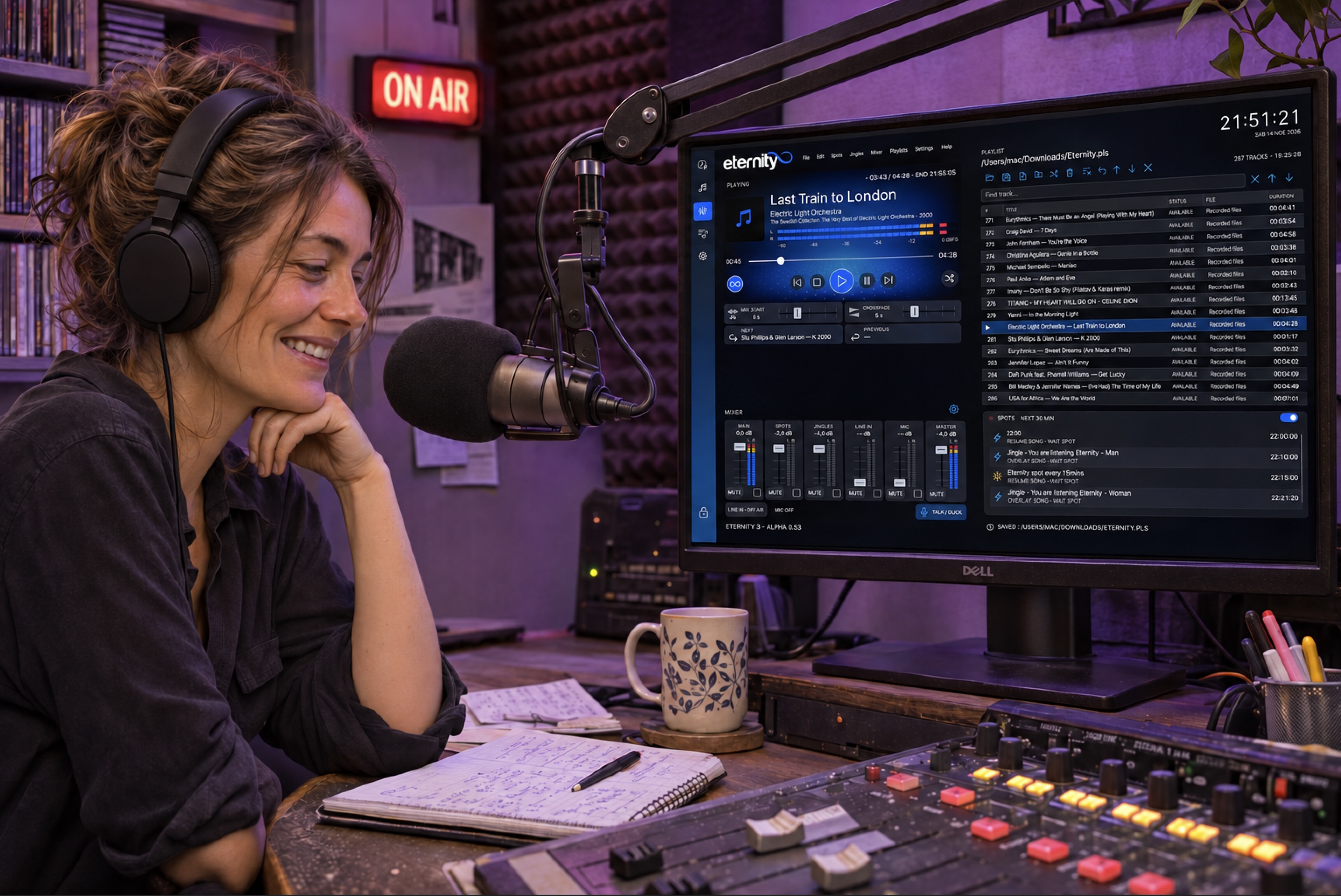
Radio Automation.
Less to learn. More to play.
Plan your music and breaks. Eternity plays them on schedule.
Made for the people behind the music.
Set your programme.
Leave playback to Eternity.
Build your playlists and schedule your ad breaks. Eternity plays the music and airs each break on cue, just as if you were there.

Your sound. Your signature.
Build your playlists.
Schedule your ad breaks.
Eternity takes over playback.
A familiar way to work.
Learn the controls.
Find your on-air rhythm.
Clear playlists. Practical schedules. Controls that make sense.
Set what plays and when. Once your programme is running, you can leave the console and get on with your day.
Choose a theme to explore every screen below.
01 / Playlist library
All your tracks.
Endless possibilities.
Find the right track. Shape the next set.
Prepare your playlists while the current programme keeps playing.
Playlist library · Click to explore
02 / Spot Scheduler
Give every moment
its cue.
Music. Station IDs. Scheduled spots.
Choose the time, set the days, and put your programme in order.
Spot Scheduler · Click to explore
03 / Spot Planner
Your ad campaigns.
In the right breaks.
Schedule commercials. Automatically insert advertising campaigns.
Keep track with playback reports. All from one clear plan.
Spot Planner · Click to explore
Smooth transitions
Let one great track
lead to another.
Adjust mix start and crossfade to shape the handover between songs.
Automatic session recovery
A restart.
Not a fresh start.
Eternity remembers the exact point where playback stopped and resumes automatically. No need to press Play.
Born around radio.
Make every
segue yours.
The original Eternity grew out of life inside radio stations. Today, that same team continues to develop Eternity. A new chapter, built by the people who started it — with the same love of radio.
Before you
press play.
Eternity is in Alpha.
Some release details are still being confirmed.
Is Eternity easy to learn?
Eternity is designed around familiar tasks: add music, organise a playlist, choose your times and press play. Begin with the essentials and explore more as your programme grows.
What does Spot Planner do?
Spot Planner makes it easier to schedule commercials, automatically insert advertising campaigns into your programme and review playback reports.
What happens after a restart?
Eternity remembers the exact point where playback stopped and automatically resumes from there, without requiring you to press Play.
Can I use my own music files?
Yes, Eternity organises and plays local music files. Supported formats will be confirmed with the release requirements.
Will Eternity run on Windows and macOS?
Yes. Eternity will support both Windows and macOS. We’ll publish the exact supported versions and minimum system requirements later.
Does Eternity include music playback rights?
No. Eternity does not include a licence to play or broadcast music. You are responsible for obtaining any licences required for your use of the music under the laws that apply in your country.
What will Eternity cost?
Pricing, licence terms and support options have not been announced yet.
Eternity
Radio Automation
Made Easy.
Less to learn. More to play.
Get an email when Eternity is ready to try.